For Squarespace
Built for Squarespace forms

Your Squarespace contact form, without the spam.

AI-written spam slips past Squarespace’s reCAPTCHA filter.
Pengon catches it before it reaches your inbox.

2-minute installNo ZapierWorks with reCAPTCHA
Request beta access →
Spam blocked
3
Clean submissions
12
Total
18
clean 53m ago
Name
Erkens Gjini
Email
erkens@bianchi-architects.ch
Message
Hi, I'm Erkens from Bianchi Architects in Lugano. We have a 220m² residential renovation in Schwamendingen, Zürich — looking to complete by Q3 2026, budget around CHF 380K. Could we schedule a call to discuss?
Page
/contact
ai:legitscore 0.05
spam 56m ago
Name
Sarah Williams
Email
sarah.williams@outreach-mail.com
Message
Hi, I came across your website while researching for an upcoming project. Would love to discuss potential collaboration. Could we schedule a call this week?
Page
/contact
ai:Generic outreach with no specifics about the project or the recipient's work, seeking a call.
Setting it up

If you can copy and paste, you can install it.

No plugin store, no app to download, no developer required. Four small steps inside your Squarespace settings, the same place you'd add Google Analytics.

01

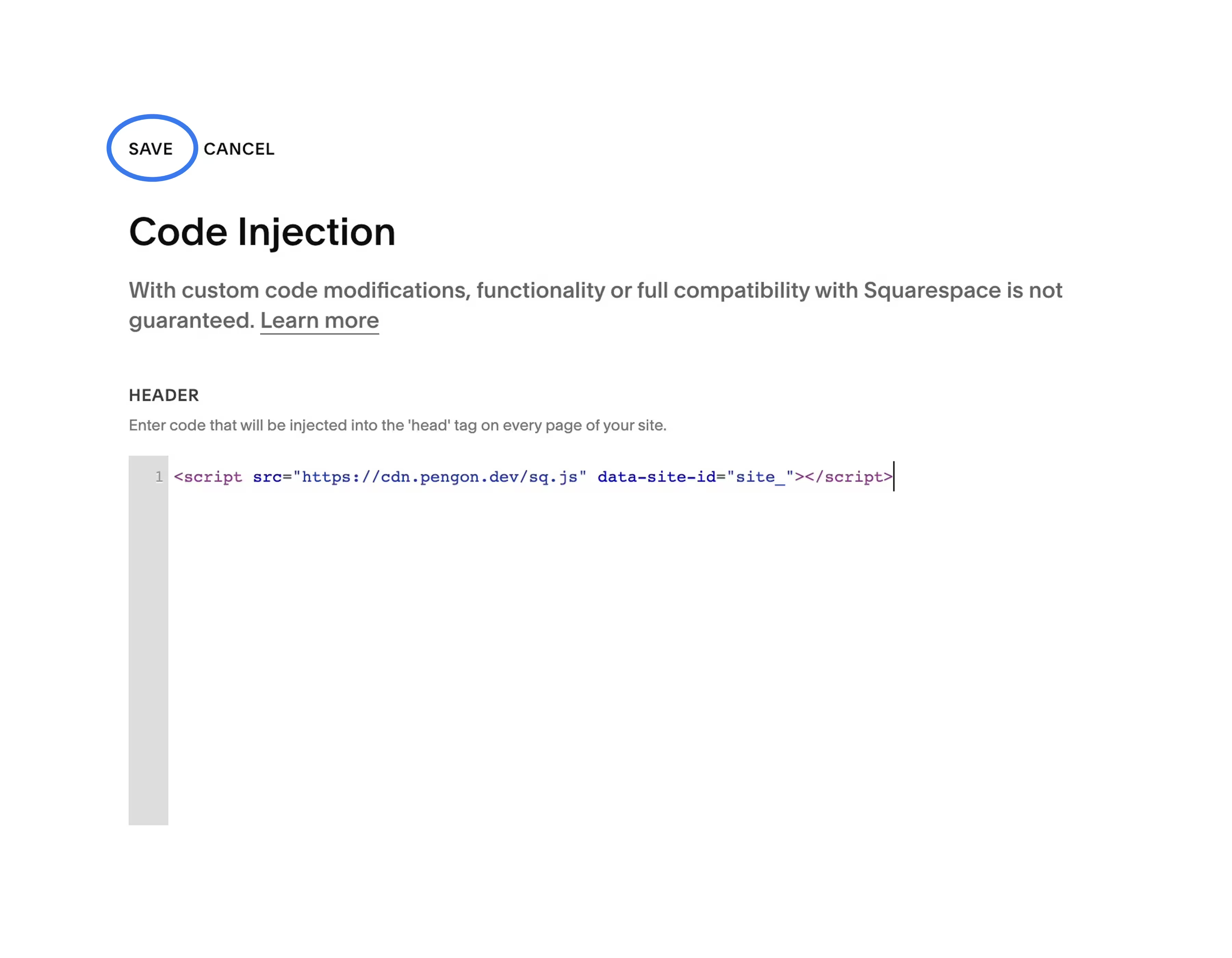
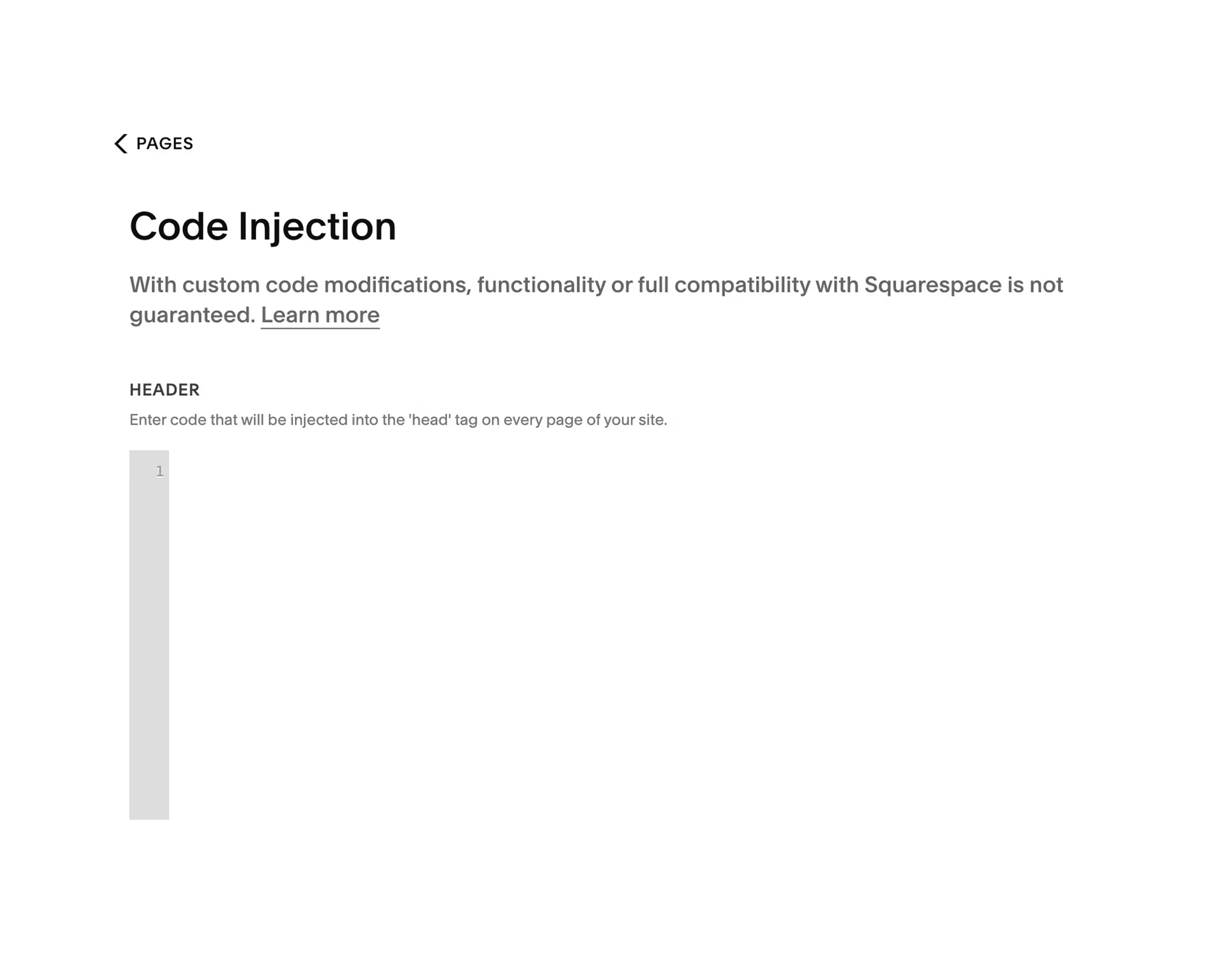
Open Code Injection

From your Squarespace dashboard, click Website, then Pages, then Custom Code, then Code Injection.

02

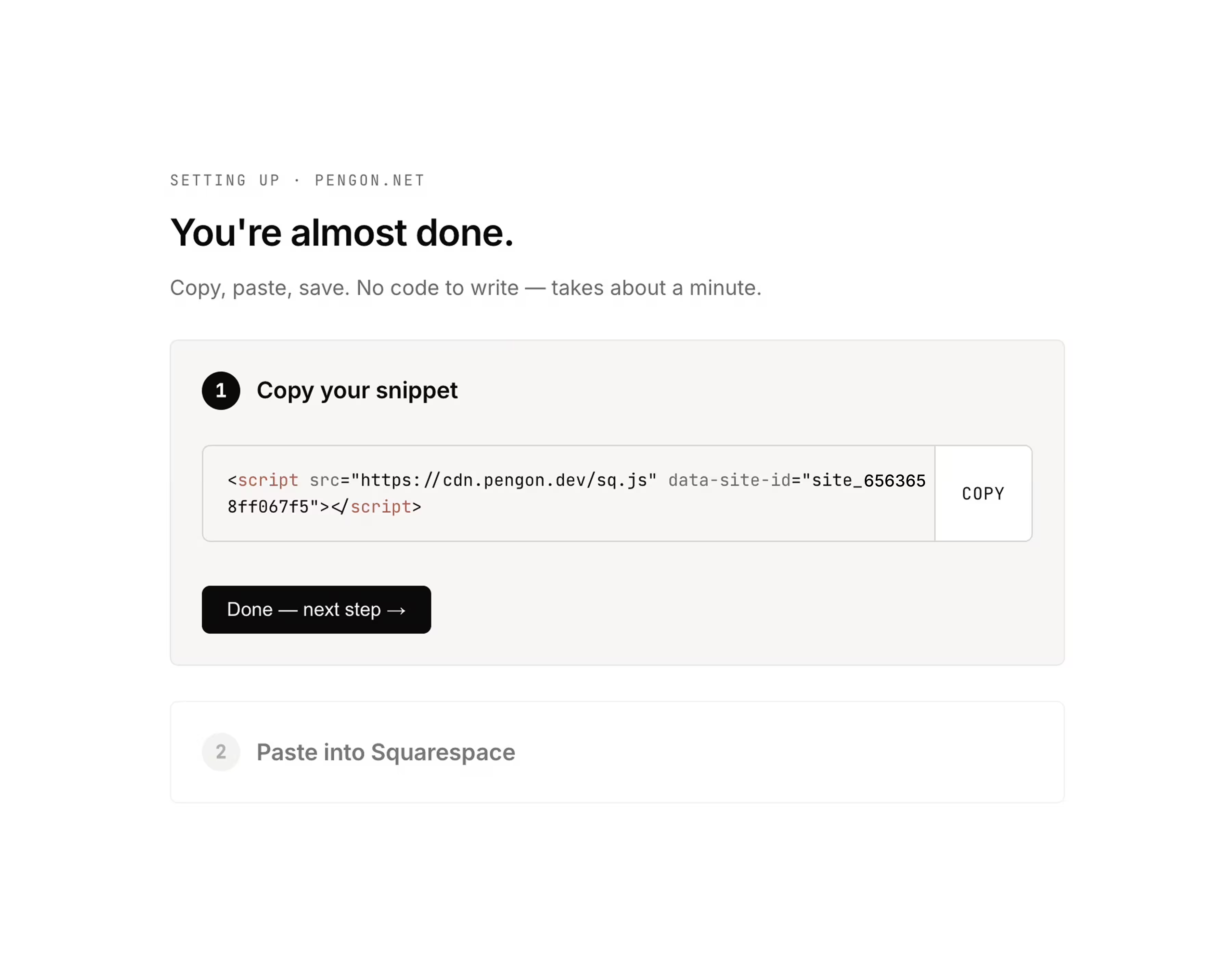
Paste this one line

Copy the snippet below and paste it into the Footer box. Leave the Header box empty.

03

Press Save.

Pengon starts watching your forms within a minute. You'll get an email when the first one is checked.

04

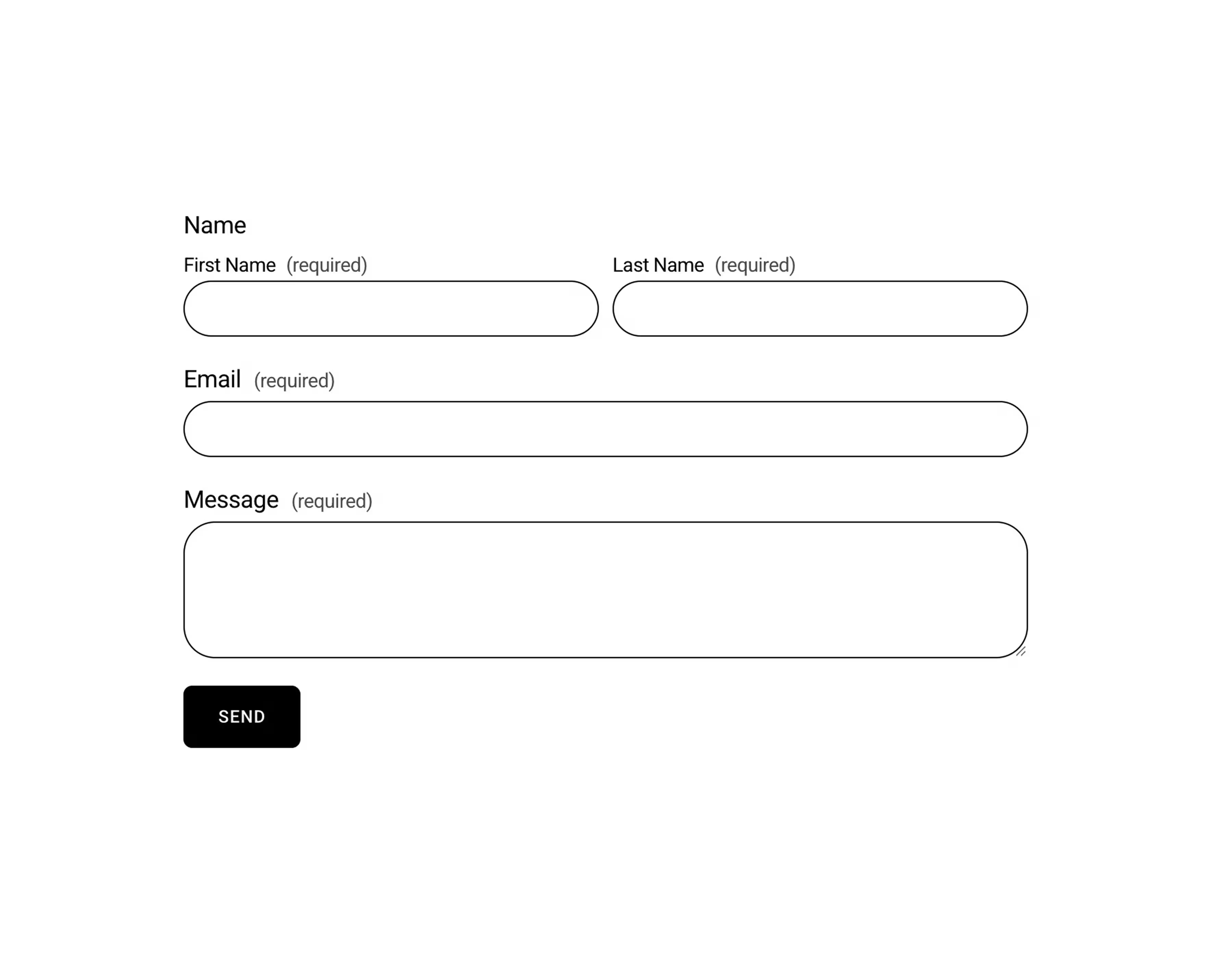
Submit a test form.

Send one message through your own contact form. The connection pill in your Pengon dashboard flips from Waiting to Connected the moment we receive it.

<script async src="https://cdn.pengon.dev/sq.js" data-site-id="YOUR_SITE_ID"></script>
Who it's for

Built for studios who answer every email.

A

Architects and design studios whose inbox is also their CRM. One real enquiry can mean a project.

B

Photographers and small agencies who bill by the hour. An hour deleting fake leads is an hour you didn't bill.

C

Solo founders on Squarespace who shipped their site over a weekend, and now want their form back.

FAQ

The questions everyone asks first.

01 Does it work on my Squarespace site? +
Almost certainly, yes. Pengon works on both versions of Squarespace (7.0 and 7.1), every template, and every plan that lets you paste a snippet into Code Injection (Business and above, the same plan you'd need for Google Analytics).
02 Will it slow down my website? +
No. The snippet is tiny and loads asynchronously after your page is already on screen. Your visitors never wait for Pengon. The form just sends, and we check it on the way to your inbox.
03 Do I have to turn off Squarespace's reCAPTCHA toggle? +
No, leave it on. Squarespace's reCAPTCHA catches scripted bots; Pengon catches the realistic-looking AI spam that gets past it. They work side by side.
04 What if Pengon ever blocks a real client by mistake? +
Every blocked submission shows up in your dashboard with the model's own reasoning, so you can see exactly why it was flagged. One click on Recover (not spam) and Pengon sends the full message to the email address on your account — a separate email from us, not anything we put back into your Squarespace form inbox. Nothing is permanently hidden. You always have the full record.
05 What happens to my form if Pengon is ever unreachable? +
Forms fail open. If our service is unreachable for any reason, the submission goes through as normal. Your visitor never sees an error, and you never lose a real enquiry because of us. Pengon is additive to Squarespace's existing flow, not in front of it.
06 Do I have to touch my domain or DNS? +
No. The whole install is one short snippet inside your Squarespace settings. Your domain stays exactly as it is. No changes, no migration, no IT person required.
07 What if I want to cancel? +
Remove the snippet from Squarespace and Pengon disappears. Your forms keep working exactly as they did before. We'll delete your data on request, no questions asked.
08 Squarespace says “compatibility is not guaranteed” on Code Injection. Should I worry? +
No. That's Squarespace's standard notice on every Code Injection page, the same one shown when you add Google Analytics, a Plausible script, or any other tracker. Pengon doesn't change your site's appearance or your forms in any way.
09 I'm not technical. Can I really install this myself? +
Yes. If you've ever pasted a Google Analytics tag, a Plausible or PostHog snippet, or any other tracking script into Squarespace, this is the exact same flow. And if you'd rather we did it for you, reply to your beta invite and we'll walk you through it on a quick call.

Stop dreading your Squarespace inbox. Let Pengon watch it.

Reply with your Squarespace site URL and we'll get you set up. It takes a coffee.

Request beta access →